Best Desk Mats and Pads in 2026: 7 Compared
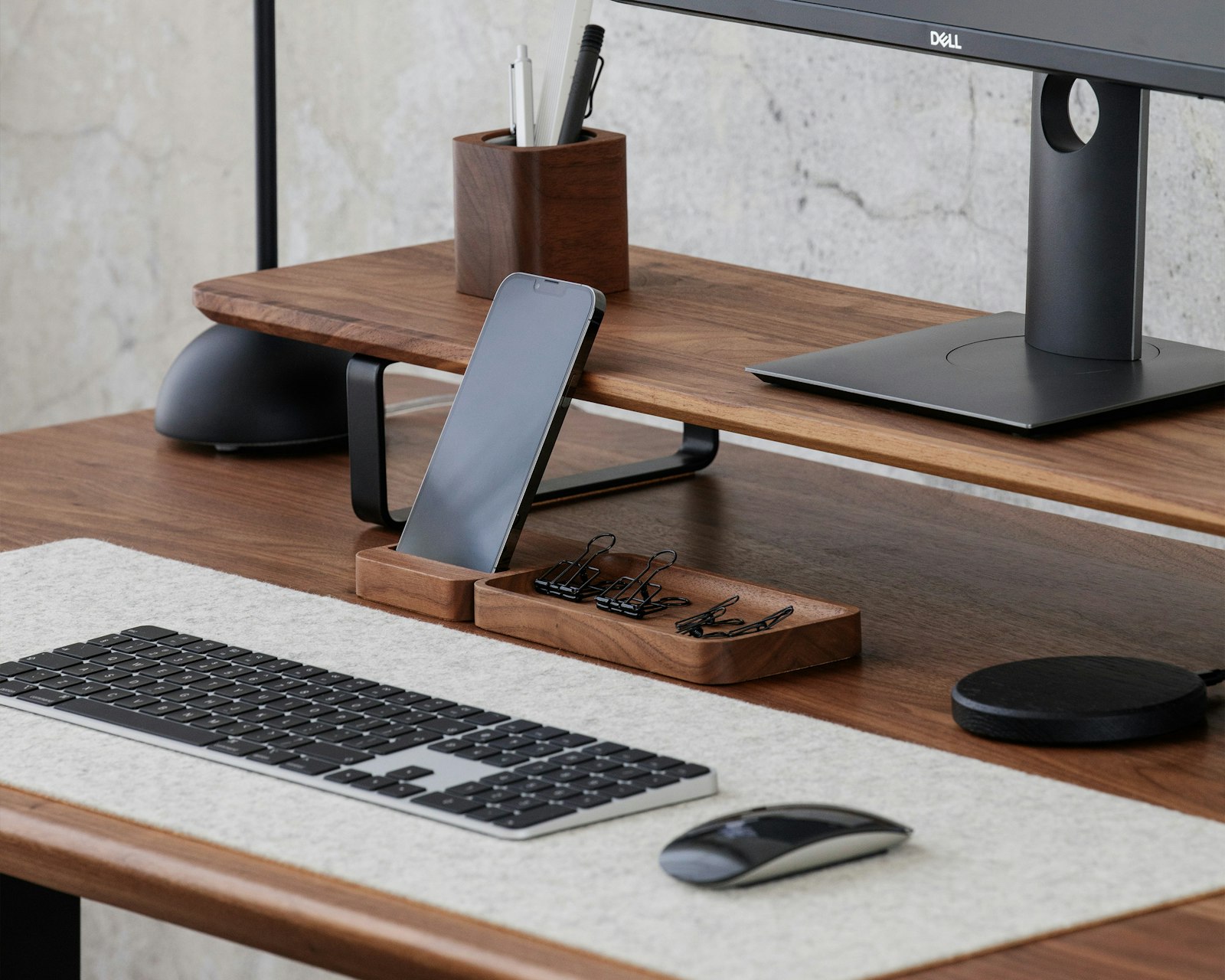
- Top pick: The Grovemade Leather Desk Pad ($90) wins overall for premium vegetable-tanned leather that ages beautifully and lasts 5+ years.
- Best features: The Orbitkey Desk Mat Pro ($99.90) adds a magnetic cable holder and document hideaway flap, the most feature-packed mat on this list.
- Best value: The YSAGi PU Leather Mat ($13) is waterproof by its listing and is the low-cost pick.
- Best for mouse tracking: The LTT Deskpad ($30) is a cloth surface that its maker designs for mouse sensor tracking, aimed at designers and high-DPI mice.
By Vincent Couey, DeskDeploy founder. Updated .
A desk mat does three things. It protects your desktop surface from scratches and wear. It gives your mouse a consistent tracking surface. And it makes your workspace look about 40% more put-together with zero effort.
We compared seven desk mats on material, size, thickness, grip and price as the makers list them. We have not logged hands-on testing of these mats, so nothing here is a tracking, wear or spill result.
If you are building a home office from scratch, a desk mat is one of the cheapest upgrades that makes an immediate visual and functional difference. Our home office setup guide covers the rest of the essentials, and a good mat pairs perfectly with any of the standing desks we compared.
For the premium end of the category, our Grovemade vs Orbitkey vs Harber London desk pad comparison draws every size to one scale and prices each pad per square inch.
The Quick Comparison
| Mat | Price | Material | Size | Best For |
|---|---|---|---|---|
| Grovemade | $90 | Vegetable-tanned leather | 25.5" x 14.5" | Premium quality |
| Orbitkey | $99.90 | Vegan leather + recycled PET | 35.3" x 16.7" | Best features |
| Oakywood | $97 to $147 | Merino wool felt | 24.4" x 11.8" to 39.4" x 15.7" | Felt lovers |
| YSAGi | $13 | PU leather | 31.5" x 15.7" | Best budget |
| Knodel | $11 | PU leather (dual-sided) | 31.5" x 15.7" | Cheapest |
| Harber London | $159 | Full-grain leather | 31.5" x 12.6" | Luxury feel |
| LTT Deskpad | $30 | Cloth top, rubber base | 35.4" x 15.7" | Mouse accuracy |
1. Grovemade Leather Desk Pad - Best Overall ($90)
- Pros
- Genuine vegetable-tanned leather that develops a patina over time
- Cork and rubber base for grip
- 3mm thick for wrist cushioning
- Handmade in Portland, Oregon
- Develops a natural patina over time, per Grovemade
- Cons
- $90 for a desk pad is a hard sell for budget-conscious buyers
- Smaller than most competitors (25.5" x 14.5")
- Textured leather surface can be less suited to very high-DPI mice
- Water marks are permanent if not wiped immediately
Best for: Anyone who values materials and craftsmanship and wants a desk accessory built from vegetable-tanned leather. The Grovemade is not the biggest or cheapest on this list.
Check price →Grovemade has been making desk accessories in Portland since 2014, and their leather desk pad is the product that built their reputation. The pad uses vegetable-tanned leather, 3mm thick, on a cork and rubber base.
Vegetable-tanned leather develops a natural patina over time, and the cork and rubber base is the maker's grip solution.
The main downside is size. At 25.5 by 14.5 inches, it covers your keyboard and mouse area but not much else. If you want a full-desk mat, look elsewhere. But if you want a vegetable-tanned leather pad, this is the one to look at.
2. Orbitkey Desk Mat Pro - Best Features ($99.90)
- Pros
- Magnetic cable holder keeps your charging cable from falling off the desk
- Document hideaway flap stores notes, sticky pads, or a small notebook
- 35.4-inch width covers keyboard, mouse, and then some
- Vegan leather surface with a machine washable base layer
- Made from recycled materials, which is a nice bonus
- Cons
- Vegan leather does not develop patina or improve with age
- Magnetic cable holder only works with cables that have a small connector
Best for: People who want more than just a surface. The built-in cable holder and document flap make the Orbitkey the most feature-packed desk mat on this list.
Check price on Amazon →The Orbitkey Desk Mat Pro is not just a mat. It is a desk organizer disguised as one. The magnetic cable holder along the top edge is designed to hold a charging cable in place when it is not connected to your phone.
The document hideaway is a thin flap that lifts up to reveal a storage space for sticky notes, small documents, or a thin notebook. It is aimed at quick-reference notes and daily to-do lists.
The surface is vegan leather. Unlike vegetable-tanned leather, it is not the kind of material that develops a patina. Orbitkey also sells a thinner Desk Mat Pro Slim at $85 and a plainer PU-surface Desk Mat from $39.90, read from its own store on 25 October 2026; the features described here belong to the Pro.
3. Oakywood Felt Desk Pad (from $97)
- Pros
- Merino wool felt, 3mm thick
- Cork base for grip
- Natural materials in dark grey, light grey and navy
- The XL, 39.4 x 15.7 inches, covers a generous area
- Cons
- Felt is a textured surface, less suited to high-precision mouse work
- Felt tends to collect lint, pet hair and dust
- Wool felt is not a waterproof material
- From $97, that is expensive for felt, even premium merino
Best for: Aesthetic-focused workspace builders who want natural materials and a Scandinavian look. A material choice for looks rather than practicality.
Check price on Amazon →The Oakywood is the only wool felt mat on this list. Where the other mats use leather, PU or cloth, this one uses merino wool felt.
The trade-off is practicality. Felt tends to collect lint, pet hair, crumbs and dust, and it is not a waterproof material, so spills are a risk if you keep drinks on your desk.
Felt is a textured surface, so if mouse precision matters to you, consider pairing the Oakywood with a separate mouse pad.
4. YSAGi PU Leather Desk Mat - Best Budget ($13)
- Pros
- $13 for a 31.5 x 15.7 inch desk mat
- Waterproof surface, per its listing
- Dual-sided design gives you two color options in one mat
- Stitched edges
- Smooth PU leather surface
- Cons
- Thin (2mm) means minimal wrist cushioning
- Will not develop patina or improve with age
- Suede-like base rather than a rubber base
Best for: Anyone who wants desk protection without spending real money. The YSAGi is $13 and cheap enough to replace without guilt.
Check price on Amazon →The YSAGi is the low-cost pick for anyone who just wants a desk mat. It costs $13 and is built to do what a desk mat should: protect your desk surface and give your mouse a smooth area.
The waterproof surface is its standout listed feature at this price, which sets it apart from the Oakywood felt.
It is thin, just 2mm, which means no real wrist cushioning. The surface is smooth PU leather. The dual-sided color design is a nice touch. Flip it over when you want a change or when one side gets worn.
5. Knodel Dual-Sided Desk Pad ($11)
- Pros
- $11, the cheapest desk mat on this list
- Waterproof and easy to wipe clean
- 15+ color combinations to match any setup
- Stitched edges
- Cons
- Even thinner than YSAGi (1.5mm) with zero cushioning
- Non-slip base listed, but thin at 1.5mm
- Thinner than the YSAGi at the same size
Best for: The absolute budget option. If $11 is your ceiling, the Knodel works. But spending $2 more gets you the thicker YSAGi (2mm against 1.5mm) at the same size.
Check price on Amazon →The Knodel is the mat you buy when you just want something on your desk now and do not want to think about it. At $11, it is essentially disposable. At that price it is easy to replace.
On paper the Knodel and the YSAGi are close: the same 31.5 x 15.7 inch size, a waterproof PU leather surface and a dual-sided color design. The main listed differences are thickness (1.5mm against 2mm) and price ($11 against $13).
6. Harber London Leather Desk Mat ($159)
- Pros
- Full-grain leather with a microfibre lining
- Made in the brand's own workshop in Spain, per Harber London
- 3mm thick for wrist cushioning
- Full-grain leather, with unique grain patterns on each piece
- Cons
- $159 is the most expensive mat here, and at 12.6 inches deep it is the shallowest
- 12.6 inches deep covers keyboard and mouse but little else; the XL (80 x 45 cm, about $199) is the deeper option
- Ships from UK, delivery takes 7-14 days to the US
- Requires leather conditioning every few months to prevent drying
Best for: Leather enthusiasts who appreciate full-grain leather and do not mind the premium price. The Harber London is a luxury item, not a practical purchase.
Check price →The Harber London is the most expensive desk mat on this list. It uses full-grain leather, where the Grovemade uses vegetable-tanned leather. Each piece has unique grain patterns, so no two mats look identical.
But at $159 for a 31.5 by 12.6 inch mat, the math is hard to justify. The Grovemade is a leather pad for $69 less and a deeper surface (14.5 against 12.6 inches). The Harber London is for people who specifically want its leather and do not mind paying for the maker.
7. LTT Deskpad - Best for Mouse Tracking ($30)
- Pros
- Cloth surface designed for mouse sensor tracking, per the maker
- 3mm thick for wrist cushioning
- Rubber base for grip
- Machine washable
- 35.4 x 15.7 inch size covers a generous area
- Cons
- Cloth surface is not waterproof
- Cloth rather than leather, so a less formal look
- Limited design selection
Best for: Designers, gamers, or anyone who uses a high-DPI mouse and needs pixel-perfect tracking. The LTT Deskpad is a mouse pad that happens to be desk-sized.
Shop at LTT Store →The LTT Deskpad is the odd one out on this list. While every other mat prioritizes looks and desk protection, the LTT is designed first for mouse tracking performance. The maker describes the cloth surface as tuned for optical and laser sensors.
If you do design work, photo editing, or anything that requires precise cursor control, a cloth surface designed for mouse tracking is the relevant choice on this list. It has a rubber base and is 3mm thick.
The trade-off is aesthetics: a cloth desk pad is a less formal look than leather. Cloth is also not a waterproof material, so coffee drinkers beware. It is listed as machine washable, which makes maintenance easier.
Desk Mat Buying Guide
Material matters most
Your mat material determines everything: feel, durability, mouse tracking, and maintenance. Leather (real or PU) is the most versatile, offering decent tracking, easy cleaning, and a professional look. Felt is the warmest and softest but attracts debris and absorbs liquids. Cloth provides the best mouse tracking but stains easily. Choose based on your top priority.
Size: bigger is not always better
A desk mat should cover your active work zone: keyboard, mouse, and wrist area. That is typically 30-36 inches wide and 14-16 inches deep. Full-desk mats (covering the entire 60 x 30 inch surface) look great in photos but create practical issues. They interfere with monitor arm clamps, make it harder to clean the desk surface underneath, and tend to bunch up or wrinkle at the edges.
For what each size costs per square foot across eleven brands, read from their own catalogs, see Desk Mat Prices 2026.
Mouse tracking considerations
If you use a standard office mouse at default DPI settings, any mat on this list works fine. If you use a high-DPI mouse (1600+ DPI) for design work or gaming, choose cloth (LTT Deskpad) or smooth PU leather (YSAGi, Orbitkey). Textured leather and felt surfaces cause tracking inconsistencies at high sensitivity settings.
Desk protection priorities
The primary reason to buy a desk mat is protecting your desktop. If you have a bamboo or solid wood top on your standing desk, daily keyboard and mouse use will create visible wear marks within 6-12 months. A $13 YSAGi mat is a low-cost way to protect the surface. If you are shopping for deals on desk accessories, BagEngine's price tracking tools can help you spot the best Amazon discounts.
Our Verdict
Premium pick: The Grovemade Leather Desk Pad ($90) is our premium pick: vegetable-tanned leather on a cork and rubber base, handmade in Portland.
Best features: The Orbitkey Desk Mat Pro ($99.90) does more than just sit on your desk. It adds a magnetic cable holder and a document hideaway.
Best budget: The YSAGi ($13) is the low-cost pick. It is listed as waterproof, and it costs $13. If you want to pair it with the right ergonomic chair, you will have plenty of budget left over.
Best for mouse tracking: The LTT Deskpad ($30) is the pick for designers and anyone who wants a cloth surface made for mouse tracking.
Frequently Asked Questions
Do I actually need a desk mat?
A desk mat is not strictly necessary, but it protects your desktop from scratches, provides a smoother mouse tracking surface, and reduces wrist fatigue during long typing sessions. If you have a wood or bamboo desktop, a mat will prevent visible wear marks within 6-12 months of daily use. At $13 for the budget option, the cost is negligible for the protection you get.
How do you clean a leather desk mat?
Wipe with a slightly damp microfiber cloth for daily maintenance. For deeper cleaning, use a leather-safe cleaner like Lexol once every 2-3 months. Avoid soaking the leather or using harsh chemicals. Leather mats develop a natural patina over time, which most people consider a feature rather than a flaw. PU leather mats can be cleaned with any damp cloth and dry instantly.
What size desk mat should I get?
For a standard 60 x 30 inch desk, a mat between 31 x 15 inches and 36 x 17 inches works well. It should cover the area where your keyboard, mouse, and wrists sit without extending under your monitor base. Full-desk mats covering the entire surface look clean but make it harder to adjust monitor arms or clamp accessories.
Are felt desk pads good for mouse tracking?
Felt desk pads work fine for general office mice but are not ideal for precision work or gaming. The textured surface can cause inconsistent tracking with high-DPI optical sensors. If mouse accuracy matters to your workflow, choose a leather, PU leather, or cloth mat instead. You can always place a small separate mouse pad on top of a felt desk pad if you like the look but need better tracking.
How long do desk mats last?
Budget synthetic mats ($10-$20) last 1-2 years before edges curl and surfaces wear. Mid-range leather mats ($40-$80) last 3-5 years with proper care. Premium leather and wool felt mats ($80+) can last 5-10 years and often look better with age as they develop a patina. Cloth mats last 2-3 years with regular washing.
Join the desk accessory deals list
Price-drop alerts are not live yet. Leave your email and we will only write when they are.
Keep reading
Standards and rules behind this page
How a home workstation should be set up, what it costs a business, and what may be deducted are governed by published federal standards and tax rules rather than by any vendor's product page. The sources below are the primary ones, linked so a reader can check a claim here directly.
- OSHA computer workstations eTool is the federal reference for how a workstation should be positioned and why.
- IRS home office deduction states exactly what qualifies and what does not, which is where most home-office cost advice goes wrong.
- ADA.gov governs the accommodations an employer must make, including for remote and hybrid work.
- Section 508 defines the accessibility standards equipment and software must meet for public-sector work.
- FTC privacy and data security guidance sets the expectations for handling company data outside an office network.
- SBA business guide is the federal reference for the business a home office usually sits inside.
- IRS small business and self-employed covers the wider tax treatment of equipment and workspace.
- Census Business Survey data publishes the official firm-size and employment statistics behind remote-work market claims.
This page describes equipment and the rules that apply to using it. A reader's own employer, tax situation and jurisdiction decide what applies to them.